
Remember
Remember me when I am gone away,
         Gone far away into the silent land;
         When you can no more hold me by the hand,
Nor I half turn to go yet turning stay.
Remember me when no more day by day
         You tell me of our future that you plann'd:
         Only remember me; you understand
It will be late to counsel then or pray.
Yet if you should forget me for a while
         And afterwards remember, do not grieve:
         For if the darkness and corruption leave
         A vestige of the thoughts that once I had,
Better by far you should forget and smile
         Than that you should remember and be sad.
Line 1
Line 2
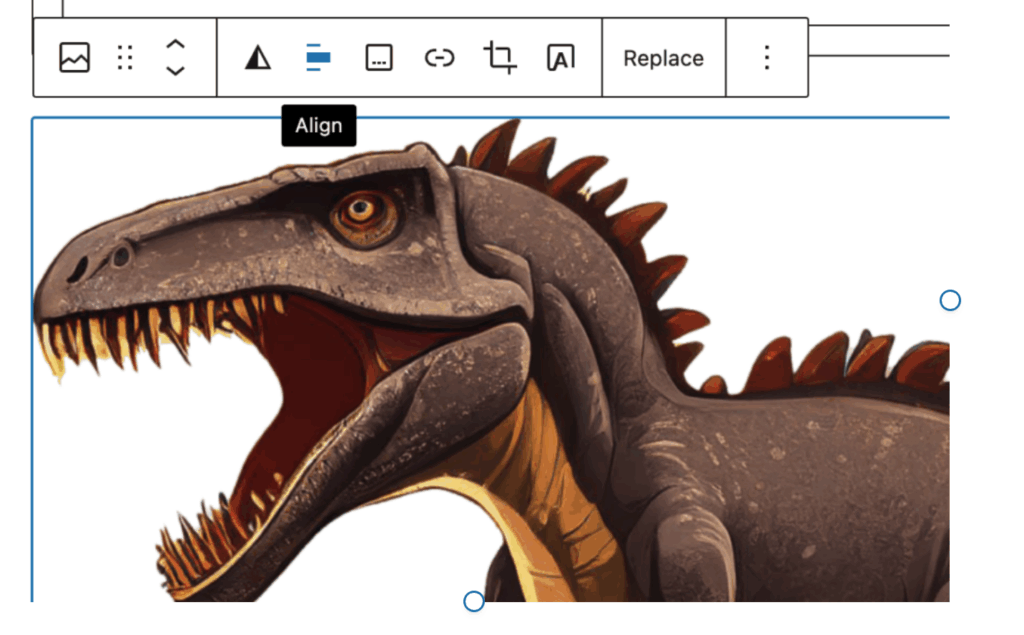
Wrapping Text Around Photos in WordPress
- Create an image block, and add an image.
- Enter a paragraph block below it and add the text.
- Click on the image block, and select the align icon. Select left or right alignment.
- Grab one of the sizing circles on the side or bottom of the image block and resize the image. The text will wrap as the image becomes smaller.
Remember
Remember
This is a poem by Victorian era poet Christina Rossetti, one of my personal favorites. Rossetti was a complex person, and wrote in the shadow of a famous and very visible poet/artist brother, Dante Gabriel Rossetti, and her demanding and overbearing father.
Christina Rossetti
Remember me when I am gone away,
         Gone far away into the silent land;
         When you can no more hold me by the hand,
Nor I half turn to go yet turning stay.
Remember me when no more day by day
         You tell me of our future that you plann'd:
         Only remember me; you understand
It will be late to counsel then or pray.
Yet if you should forget me for a while
         And afterwards remember, do not grieve:
         For if the darkness and corruption leave
         A vestige of the thoughts that once I had,
Better by far you should forget and smile
         Than that you should remember and be sad.
This House of Peace
I was thinking today of one of the more meaningful events that I have enjoyed in my life. When the Peacehealth River Bend Hospital opened in 2008, the Oregon Bach Festival premiered a composition that was commissioned for the opening. My wife Carleen was instrumental in arranging for the commission, and in seeing it through to its first performance. “This House of Peace” was composed by Ralph M. Johnson, a superb composer from Minnesota. A side benefit of the project is that Ralph and his wife Laurie have become dear friends. I am posting a video below of the performance of the piece by the St. Olaf Choir so that you might enjoy it, too.
We’re here; we were there…

Okay, you may not be able to see it, but we are on a new server. Same domain name, same content and all that stuff, but the site now lives in a new place.
Our thanks to Andy for hosting us for many years. This site, and many others, lived on his servers for a long time, and he provided wonderful support and help as needed. He is moving away from doing web hosting, and we are taking it up. This site, and our others, are now living in a new place.
Wish us well!
What? You can BUY recordings?
This post first appeared on our (Mike & Carleen McCornack) GardenVarietyMusic.com website.
So, we’ve been doing this music thing for awhile now. We started playing music together in May, 1971. We started releasing recordings for sale in 1974, with our now out of print vinyl LP Possibilities. Over the years we’ve sold our recorded music as LPs, cassettes and CDs. We’ve never cracked the Billboard sales charts, but we’ve had respectable sales for independent artists. When (legal) downloads became available, we made our music available for sale in digital formats as well.
And then came streaming. Spotify, Pandora, Apple Music, YouTube and a host of others offered plans that allowed listeners to stream just about any recorded music that they wanted to hear, anytime. Some listeners stream for free (ad supported tiers of the plans allow for this), and some choose to pay a subscription fee and have more choice in their listening. Personal record, tape and CD collections have been gathering dust, and have stopped growing.
On the music creator end, can you guess what happened? Well, we used to have income from the music we recorded. Now, not so much. Recording sales used to be a respectable portion of our music income. Streaming royalties, while they exist, are a tiny fraction of what our sales used to be, even accounting for the percentage that record companies, distributors, and retailers used to (rightfully) take from our recording sales.
It takes a lot of time, effort, and yes, money to create a recording. It’s something we still want to do, and will continue to do, but there is little financial incentive now. We do have artistic incentive, but it doesn’t pay the bills.
Which brings me to my point. If you like the music you choose to listen to, whether it’s ours or someone else’s, consider paying for it. While CD stores have all but disappeared, we still sell CDs in our online store. We also sell digital files on BandCamp. We’re glad to share the music with you, and it will help us afford to make the next recording. Thanks!
BRATS April 26, 2023
Drones, and drone photography and videography were a part of the discussion today. It is pretty amazing to see what this technology is capable of creating. DJI, one of the big drone makers, posted a flight through the Porsche museum which is downright amazing. DJI has an affiliated site, skypixel.com that posts many drone stills and videos from around the world.
Somewhere along the line, we got to talking about how our understanding of reality can get challenged by certain things we encounter, which led to the question of “Whatever happened to the Oregon Vortex?”. Apparently, nothing happened to it; at least it still has a website and a Wikipedia article.
A New Gallery Plugin
[rl_gallery id=”833″]